Sep 21, 2019, 12:31 AM
#1
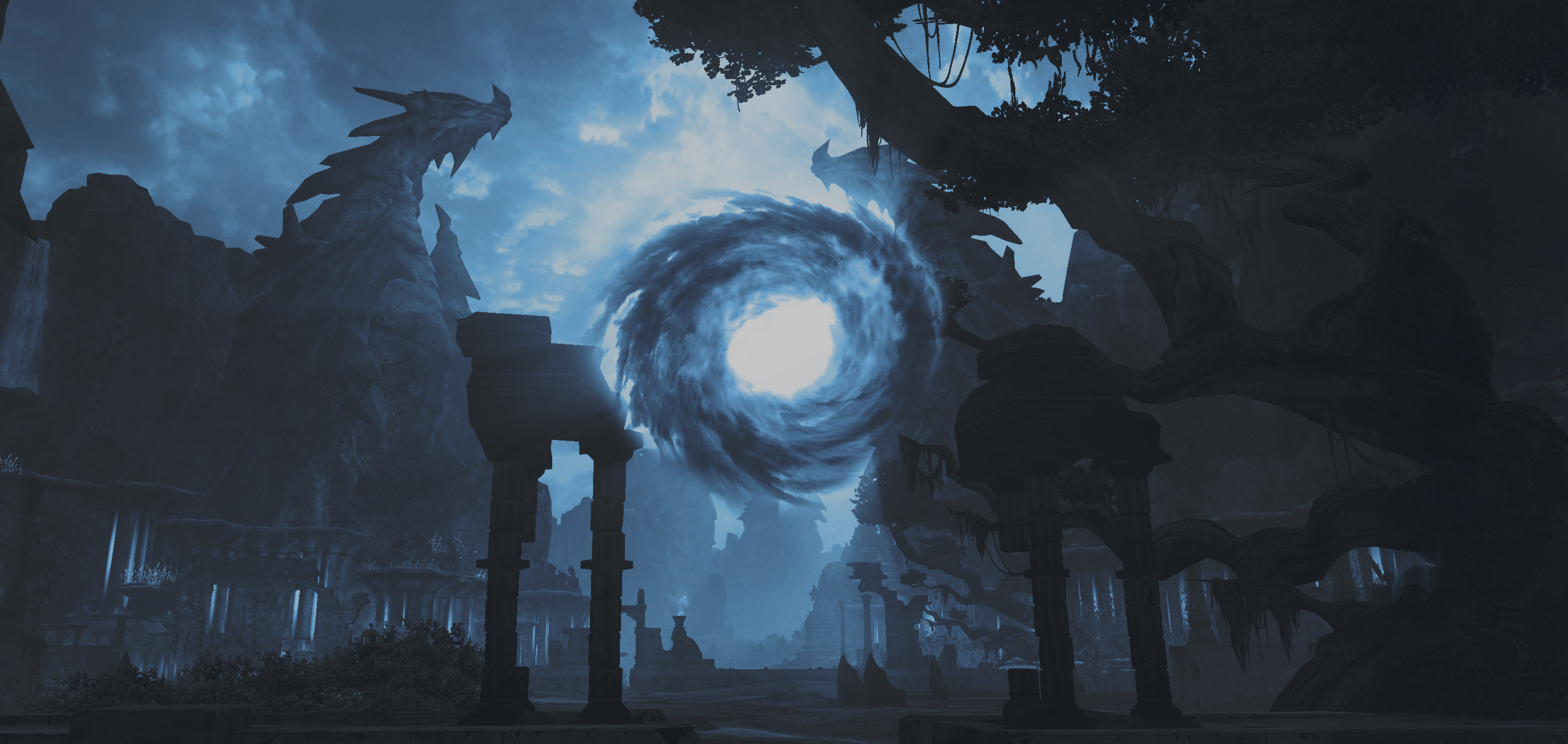
as shown, can't see anything in Kromede Trial, tried fixing trough launcher 2 times.
also tried deleting few folders from game folder and re-downloading from torrent.
help 
Loading Forum Content...
Preparing your journey through Atreia.
as shown, can't see anything in Kromede Trial, tried fixing trough launcher 2 times.
also tried deleting few folders from game folder and re-downloading from torrent.
help
screen as shown, can't see anything in Kromede Trial, tried fixing trough launcher 2 times. also tried deleting few folders from game folder and re-downloading from torrent.
8 hours ago, Oddo said:as shown, can't see anything in Kromede Trial, tried fixing trough launcher 2 times.
also tried deleting few folders from game folder and re-downloading from torrent.
help

The problem is not on the server. It is in your client/pc.
The client must be checked with the closed game. If it wasn't made this way, check the client again.
Try to change the launch of the client (in the launcher settings) to 32bit, if you're using 64bit.
Set the graphi engine in the game to default and reset the graphic options.
The problem is not on the server. It is in your client/pc. The client must be checked with the closed game. If it wasn't made this way, check the client again. Try to change the launch of the cl
On 21/9/2019 at 4:19 AM, TheAlmighty said:The problem is not on the server. It is in your client/pc.
The client must be checked with the closed game. If it wasn't made this way, check the client again.
Try to change the launch of the client (in the launcher settings) to 32bit, if you're using 64bit.
Set the graphi engine in the game to default and reset the graphic options.
it happened me the same thing but i did what u said and it didnt worked it still with the replace me screen
it happened me the same thing but i did what u said and it didnt worked it still with the replace me screen
5 hours ago, Mqnu said:
it happened me the same thing but i did what u said and it didnt worked it still with the replace me screen
Hello,
We are aware about the issue and are working on it.
P. S. For now, if you want to finish the dungeon, you need to use high quality graphic engine
In Kromede (lvl 37 ini)
The screen is dark red and in black is written "Replace me". It filles the complete screen. You can not play.
If you enter the ini first you see the normal view for some seconds. The "replace me" appear during the film and stay after the end of the film.
This "Replace me" is also in Eltnen. If you fly from Forteess to Gold-Bow you see at Satalocas Heart two "Replace me" signs, in the Sky. If you look around after landing in Gold-Bow you can find them in the sky. So i am not sure, that you find the problem in the Kromede Ini Code.
I have the problem on two Computers (5 year old laptop and new PC). In both cases i installes the 7-part-rar.
After set the graphic quality at "high quality", and a new startof the game, i can play on my PC. (The graphik card from my laptop dont like this)
In Kromede (lvl 37 ini) The screen is dark red and in black is written "Replace me". It filles the complete screen. You can not play. If you enter the ini first you see the normal
3 hours ago, Feuerhall said:In Kromede (lvl 37 ini)
The screen is dark red and in black is written "Replace me". It filles the complete screen. You can not play.
If you enter the ini first you see the normal view for some seconds. The "replace me" appear during the film and stay after the end of the film.
This "Replace me" is also in Eltnen. If you fly from Forteess to Gold-Bow you see at Satalocas Heart two "Replace me" signs, in the Sky. If you look around after landing in Gold-Bow you can find them in the sky. So i am not sure, that you find the problem in the Kromede Ini Code.
I have the problem on two Computers (5 year old laptop and new PC). In both cases i installes the 7-part-rar.
After set the graphic quality at "high quality", and a new startof the game, i can play on my PC. (The graphik card from my laptop dont like this)
We are working on this problem day and night
Я знаю как чинить баг прямо в игре, я бы вам сказал, но у вас же сервер идеального качества, все работает как надо :)))
I know how to deal with this issue right in-game (no change in game engine or re dl'ing textures folder - it doesnt help lol), i would tell you, but actually there is nothing i can do, you have already 'perfect quality' game server, leave it as it is :)))
Я знаю как чинить баг прямо в игре, я бы вам сказал, но у вас же сервер идеального качества, все работает как надо :))) I know how to deal with this issue right in-game (no change in game en
43 minutes ago, Anariel said:Я знаю как чинить баг прямо в игре, я бы вам сказал, но у вас же сервер идеального качества, все работает как надо :)))
I know how to deal with this issue right in-game (no change in game engine or re dl'ing textures folder - it doesnt help lol), i would tell you, but actually there is nothing i can do, you have already 'perfect quality' game server, leave it as it is :)))
Then why do you write this?
Нужно отжать галочку на погодных эффектах, в англ клиенте Weather. Надеюсь вы используете эту информацию, чтобы починить, а не советовать данный способ как решение проблемы.
Нужно отжать галочку на погодных эффектах, в англ клиенте Weather. Надеюсь вы используете эту информацию, чтобы починить, а не советовать данный способ как решение проблемы.
8 hours ago, Anariel said:Нужно отжать галочку на погодных эффектах, в англ клиенте Weather. Надеюсь вы используете эту информацию, чтобы починить, а не советовать данный способ как решение проблемы.
Мы пытаемся решить эту проблему, провели уже очень много тестов, но результатами пока не можем похвастаться

